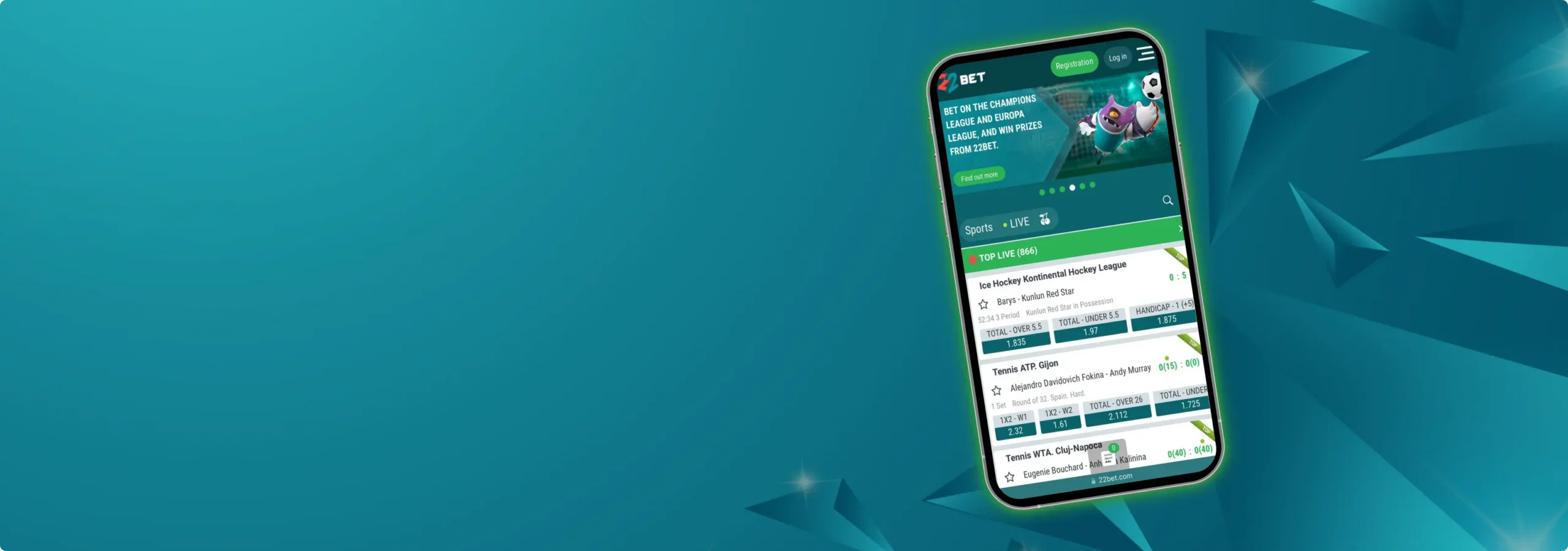
If you want a quick answer: the 22Bet app gets you almost everything the desktop site does, but in your pocket. It’s packed, fast enough, and — most importantly — built so you don’t waste time hunting for the button you want. Betting apps, though, aren’t all the same. Some look great at first, but slow down when you actually try to use them. Others throw in so many extras that finding the basics feels like a chore.
The 22Bet app is different. It keeps things straightforward: sports, live bets, casino — all right where you expect them to be. We’ve used it enough to know where it shines and where it could be sharper, so here’s the friendly run-through.
Mobile App for iOS
On iOS, the app looks polished and feels native. Navigation is clear, graphics aren’t overdone, and switching between sports, live bets, and casino is smooth. If you prefer a tidy layout and dislike clutter, you’ll appreciate how the iOS app trims the noise without removing features. The app is available through the App Store (you can also reach the link from the official 22Bet mobile page).
How To Download And Install On iPhone
It takes just three easy steps to download the 22Bet app on your iOS device:
- Open Safari on your iPhone and go to the official 22Bet page.
- Tap the “App Store” link — it takes you straight to the official listing.
- Install like any other app, sign in, and you’re set. No APK dances, no unknown sources.
A small tip from us: install over Wi-Fi if you’re on a limited data plan — the app size can vary by region, but it’s not lite. The App Store listing for some regions shows sizes of around 200 MB or more.
System Requirements
Depending on the region and app version, the minimum iOS version changes, but the current App Store pages list iOS 14 or later as a safe baseline. That means most iPhones from the last several years will run it fine.
Compatible Devices
If your phone runs iOS 14 or later, you’re fine — think iPhone 6s and newer models, most iPads that support iPadOS 14 or later, and recent iPod touch models. Bigger screens (iPads) make the live casino and stats pages nicer, but the app is laid out well for a typical phone screen.
Mobile App for Android
Android users won’t usually find 22Bet on Google Play because Play restricts gambling apps in many countries. Instead, the platform provides an APK from its site. It’s an extra step, but it’s straightforward and common for betting apps. Downloading the official 22Bet APK is the recommended route.
How To Download And Install
Getting the 22Bet Android app on your phone is super simple:
- Open your phone browser and visit the mobile page. Hit the Android download button.
- The site will provide the APK file. Download 22Bet.
- Before installing, enable installing from unknown sources for your browser (Android settings).
- Open the APK and install. Log in or create an account.
We know the “unknown sources” step puts some people on edge — that’s understandable. Stick to the official site link (not random mirrors), and the risk is minimal.
System Requirements
Sources vary a little by region and build, but many official and reputable mirrors list Android 5.0 (or 5.1) and above as the minimum, and several country-specific pages suggest Android 6.0 or later for the smoothest experience. If your phone can run modern apps like Instagram, you’re fine.
Compatible Devices
Works well on mainstream models from the last four to six years: Samsung Galaxy A-series/S-series, Google Pixel 3 onward, Huawei mid-to-high models (bearing in mind Play Store availability issues). Budget phones with only 1 GB of RAM can run it, but 2 GB or more make live streaming and the casino experience a lot smoother.
Sign Up The Mobile Website Version — When You Don’t Want to Install Anything
If installing isn’t your thing, the 22Bet site is actually very good. It’s responsive, keeps your account synced, and gives you most features: sports markets, live betting, casino, 22bet bonuses and account management. Sometimes the mobile site is slightly lighter on animations and a touch faster on older phones. We use it when we’re testing quickly or if the device is a little cramped for space.
Mobile Betting Options — What You Can Actually Bet on
22Bet Sportsbook brings the same broad coverage as the desktop. Expect major leagues (Premier League, La Liga, NBA), plus lower divisions, niche sports, and a robust eSports section. Live betting is well integrated, with in-play odds updating quickly and many markets per event. You can place single bets, accumulators, handicaps, totals, and more. The official platform touts wide event selection and high odds — and that lines up with what we saw. Quick snapshot:
- Football, tennis, basketball, cricket, F1, boxing.
- eSports like CS:GO, Dota 2, and LoL.
- In-play/live markets with minute-by-minute odds.
- Multi-bet and cash-out options on many events.
We tested a few live markets and didn’t see odd freezes. Odds moved fast, but the app kept pace.
Sign Up Mobile Casino on 22Bet — Slots, Live Tables, and the Little Extras
The mobile casino is surprisingly full-featured. Slots load quickly, provider variety is large, and live dealer tables stream smoothly on decent connections. If you like variety — classic slots, modern video slots, roulette, blackjack, and live poker — you’ll find plenty.
Some games require a little patience on slower mobile networks, but overall, the experience is solid. The site advertises large provider coverage and thousands of games, so if you love switching providers mid-session, you won’t run out of options.
Frequently Asked Questions
Yes. Your bets, balance, and history sync across devices. Log in with the same credentials, and everything matches.
The official 22Bet page provides the APK file for Android. Download from the site, enable installs from unknown sources for your browser, then install. Don’t use random third-party mirrors.
App Store listings in many regions show a minimum of iOS 14 (requirements can differ by country and app version), so make sure your device is up-to-date.