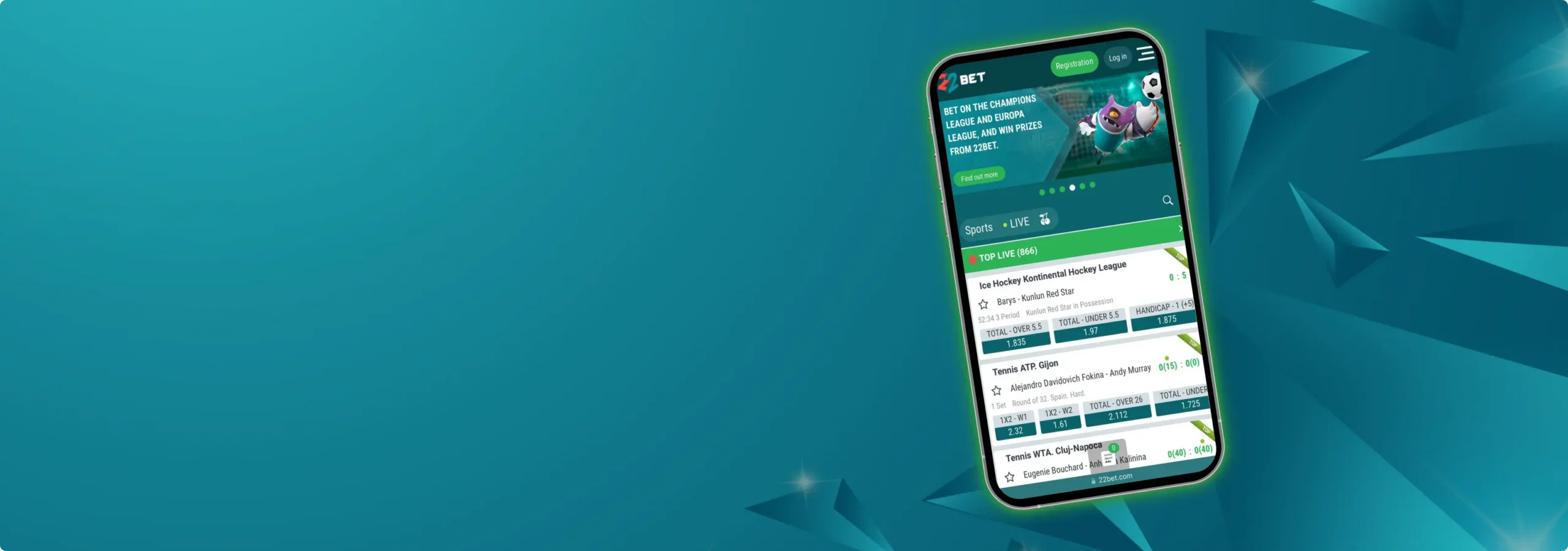
When you bet on your phone, speed beats marketing. Buttons need to register, odds need to refresh fast, and cashout should appear the moment a game swings.
This review focuses on the 22Bet app for Irish players — iPhone, Android, and the mobile web — plus the day‑to‑day bits that matter. We’ll also show how to download 22Bet app safely and which devices handle it best.
General Information About the App
Expect a simple setup: One wallet for sports and casino, biometric login, result alerts, and a tidy betslip that stays out of the way.
Pre‑match and in‑play are easy to filter by sport, league, or kick‑off. Cashout is available on many events, and live prices settle quickly, even on busy fixtures. Everything runs in EUR, and the layout mirrors the desktop, so it feels familiar from the first tap.
Mobile App for iOS
The iPhone experience is quick and uncluttered: A‑Z sports list, top leagues up front, and a sticky betslip for singles, accas, and builders. The 22Bet iOS build supports Face ID, native notifications, and dark mode.
How to Download and Install?
Here’s the quick route from the App Store:
- Open the App Store and search for “22Bet”. Check the publisher details and rating.
- Tap “Get”, wait for the installation, then open and allow notifications.
- Log in or sign up. Then, enable Face ID/Touch ID in Settings → Security for one‑tap access.
If the app doesn’t appear in the store, use the mobile website version (below) — it covers the same core features and is saved to your home screen as a shortcut.
System Requirements
For smooth performance, aim for the following:
- iOS 13 or later recommended.
- ~200–300 MB free storage.
- Stable Wi‑Fi or 4G/5G for live betting.
Compatible Devices
Supported Apple devices include:
- iPhone 8 or later (best performance on recent models).
- iPad runs the app in compatibility mode. The mobile website is often neater for tablets
Sign Up Mobile App for Android
Android gets the full sportsbook and casino with fast page transitions, a polished live centre, and an easy bet builder. On 22Bet Android, the layout mirrors the iPhone app, so switching devices is painless.
How to Download and Install?
There are 2 routes, depending on availability in your region:
- Google Play (when available): Open Play Store, search “22Bet”, verify the publisher, and install.
- Direct Install: From the official site, download the 22Bet APK and follow the on‑screen steps to allow installation from this source, then proceed. Always use the official link.
System Requirements
Most recent phones will be fine. More specifically, these are the required specifications:
- Android 8.0 (Oreo) or later is recommended.
- 2 GB RAM or more; ~200–300 MB free storage.
- Stable Wi‑Fi or 4G/5G for live betting.
Compatible Devices
Popular Android models that run the app well include:
- Samsung Galaxy A/S series, Google Pixel 4 and later, OnePlus 7 and later, and recent Xiaomi/Redmi models.
- Most modern Android phones with ARM64 chips run fine. Older, low‑spec devices may prefer the mobile website.
Mobile Website Version
Prefer no installs, or sharing a device? The 22Bet mobile site mirrors the app’s layout:
- Same A‑Z sports, live centre, cashout, bet builder, and account area.
- Add it to your home screen from your browser for a near‑app feel, keep the same wallet, and avoid storage use.
- Performance is strong on modern browsers (Safari/Chrome/Edge), and updates land instantly because there’s nothing to update on your phone.
Sign Up Mobile Betting Options
Betting flow is fast and predictable on mobile:
- Pre‑match markets list 1×2, handicaps, totals, and a healthy set of props. Accas and system bets build cleanly in the betslip.
- In‑play works smoothly, with an animated match tracker and clear cashout prompts.
- Bet Builder, meanwhile, lets you combine selections within the same match — handy for televised games.
- Notifications can flag price changes, settlements, and cashout availability, so you aren’t glued to the screen.
A few practical settings to check before a big match:
- Use decimal or fractional pricing — toggle in Settings.
- For live betting, lock in your preferred “accept odds change” behaviour.
- Keep Face/Touch ID on for quick, secure access when a game is moving fast.
Mobile Casino Options
The casino is fully integrated and therefore, it’s no less than the sportsbook:
- Thousands of slots, live tables (blackjack, roulette, and baccarat), and game shows with native portrait support.
- Search and provider filters make it easy to find favourites.
- Live casino runs smoothly on strong Wi‑Fi/5G. If streams stutter, drop quality in the player settings.
- 22bet bonuses and tournaments are accessible in‑app, and the balance carries over from sports.
Sign Up Frequently Asked Questions
Yes. Stick to the official App Store/Play Store listing or the link on the website. Enable biometric login and never share your device unlock code.
Yes. Pre‑match, in‑play, bet builders, cashout, and account features are all available on mobile.
Use the mobile site or the official download route from the website. Save it to your home screen — it looks and feels close to the native app.